Built for
All templates
Soft Systems 3D · 3D
3D Workflow Illustrations for Product Explainers
Explain a workflow through tactile 3D modules and physical routes. Soft Systems 3D gives product and process articles an approachable systems style.
No individual image prompts needed. Planning and generation use credits. View plans
Core palette
 3D
3DVisual traits
- Matte modules
- Physical routing
- Soft contact shadows
- Plain controls
Output defaults
- 16:9 article canvas
- One concept per image
- Editable visual briefs
Choosing your article images
Is Soft Systems 3D right for your article?
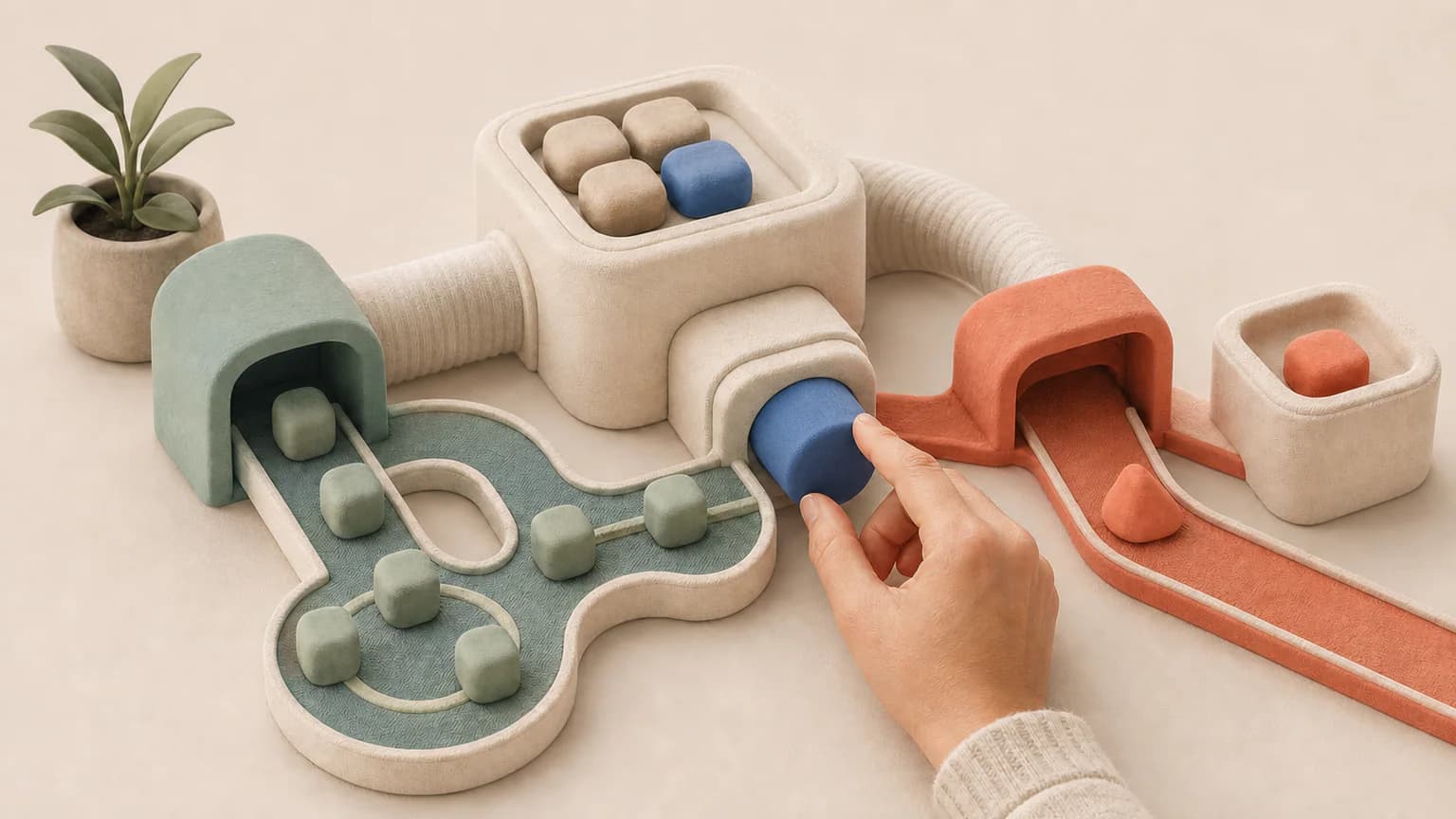
Soft Systems 3D arranges matte modules, channels, and controls into a mechanism the reader can follow. The physical routing matters more than surface decoration: an input should meet a gate, take a route, or become an output. This makes it useful for process articles that need an object-based explanation without borrowing the appearance of a real software interface.
A product article about routing work
Channels and gates can distinguish one path from another. Keep the illustration conceptual if the underlying software has more complex rules than the scene can express.
A newsletter about coordination
Connected modules can make a handoff tangible. Give each image a different relationship so a three-image article does not become three views of one machine.
What defines the look
Build the system as a physical object.
Soft Systems 3D assigns every abstract function a module, connection, selector, or container. Rounded construction and soft contact shadows make the mechanism approachable, while routing remains explicit enough to teach.
Read the illustration style guideHow scenes are arranged
Focal metaphor
Build one dominant physical metaphor around the article's central relationship.
What stays consistent
- one functional modular system
- three to six major parts
- one visible transformation
- plain physical selector
Looks this style avoids
- emoji face
- toy character
- toy catalog
- glossy plastic
How color is used
Palette 1: primary structure and focal subject Palette 2: supporting contrast and secondary forms Palette 3: accent for emphasis and directional cues Palette 4: restrained supporting accent
Example set
One modular machine, three stages of understanding.
Material and module scale stay consistent while routing and state changes reveal the system progressively.
AI-generated examples of this style, not photographs of real people, events, or physical artworks.
3DIntroduce the modules
Make each role or stage physically distinct without turning the scene into a labeled interface.
 3D
3DRoute the active object
Show the decision or handoff through one visible channel and one state change.
 3D
3DReveal the resulting system
End with the modules working together in a stable, understandable arrangement.
How it reads an article
It reads for inputs, decisions, handoffs, and outputs.
The Skill converts a workflow into a small tabletop machine. A decision becomes a physical switch, a handoff becomes a channel, and a transformation becomes a visible change in the object moving through it.
Best fit
Use it for product education, AI workflows, automation, service design, and approachable technology explainers.
Choose another style when
Avoid it for people-led culture stories, exact engineering, evidence-heavy reports, or premium technology that needs glass and metal precision.
Before you choose
Questions about Soft Systems 3D
How is Soft Systems 3D different from Soft Objects?
Soft Objects focuses on friendly conceptual relationships. Soft Systems 3D is more procedural: modules have explicit functions, routes connect stages, and a visible state change explains how the workflow operates.
Do I receive an interactive 3D workflow model?
No. You receive generated image files with a tactile 3D appearance, not an interactive model, editable scene, or executable workflow. Use them beside the article's explanation, and keep implementation details in the relevant documentation.
How do I use Soft Systems 3D for my article?
Paste your finished draft, select Soft Systems 3D, and choose a starting image count. Zyncli proposes image ideas and placements for you to review before generating. You can edit the briefs without writing each image prompt from scratch.
Does using this style cost credits?
Planning and image generation use credits, and regenerating an image uses more. You see the quoted cost before each step. Official styles do not require you to build a private brand style. See pricing for current plans and credit allowances.
From draft to image set
Bring the article.
The style is ready.
You do not need to learn the drawing technique or write every prompt. Choose this style, review the proposed scenes, and generate the images that fit your writing.
Open-source SkillInstall Soft Systems 3D from GitHub- 01
Add your finished draft
Paste the article, choose this style, and set a starting image count.
- 02
Review the proposed images
Zyncli suggests scenes and placements. Edit the visual briefs before generating.
- 03
Generate and inspect the set
Check each result for meaning, consistency, and unwanted details. Regenerate individual images when needed.
- 04
Download and publish
Place the image files beside the relevant passages. Keep accurate charts, real photos, and product screenshots where your article needs them.
Compare the alternatives
When to choose a different style
Choose Soft Objects for a simpler relationship between rounded objects rather than a routed system.
 3D
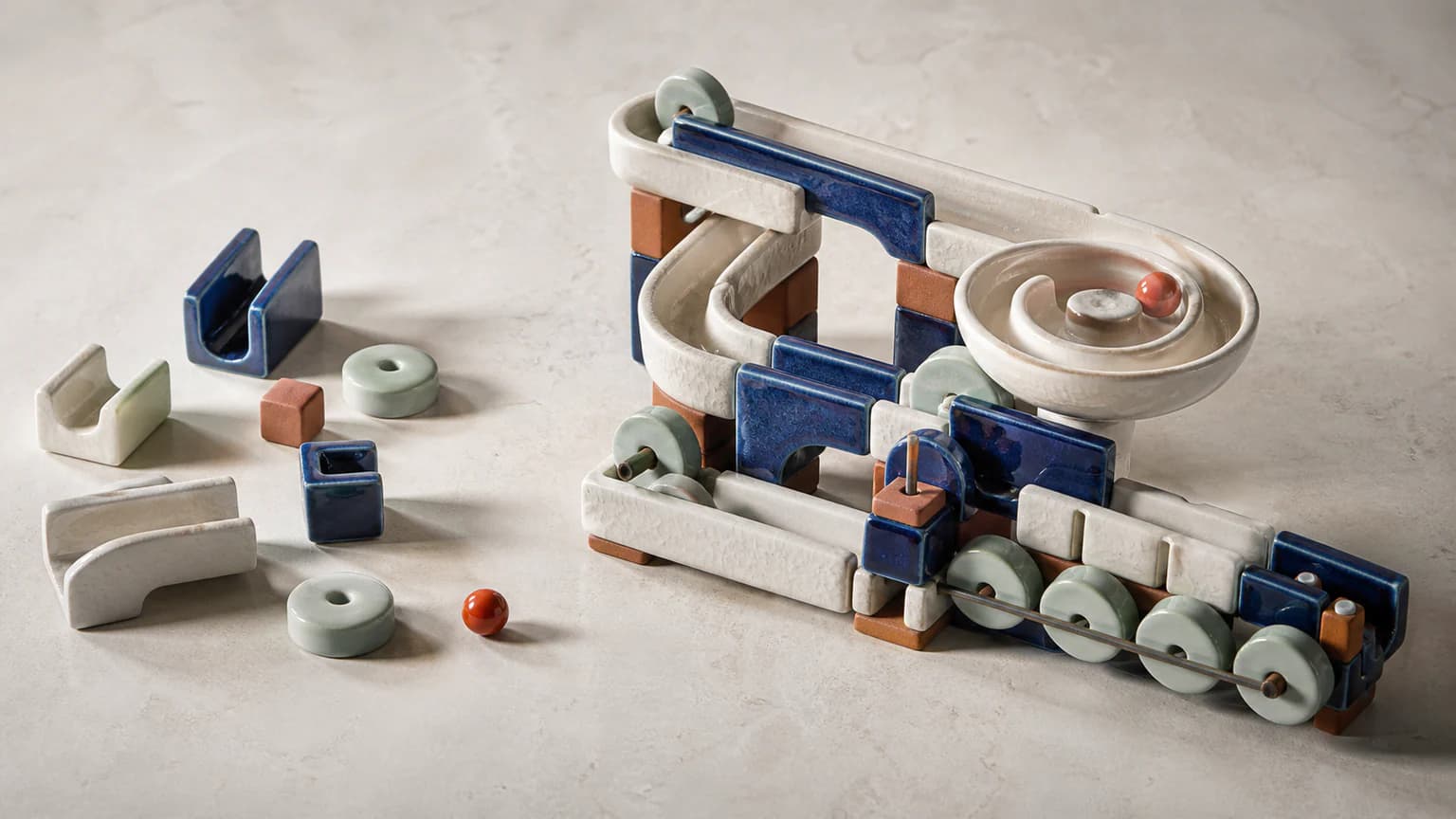
3DChoose Glazed Mechanism when glossy ceramic gates and vessels suit the same process idea better than matte modules.
 3D
3DReady to use Soft Systems 3D?